
An approval process can be integrated into the document creation workflow to ensure that Quotes are reviewed and approved before generation. This requires setting up both a Flow and an Approval Process within Salesforce. Once configured, the process automates the submission of Quotes for approval, supporting compliance and optimizing the overall sales workflow.
Example of a set-up Approval Process #

Example of a Flow #
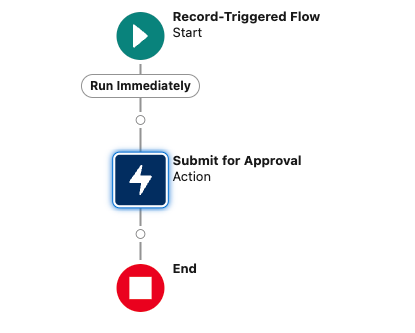

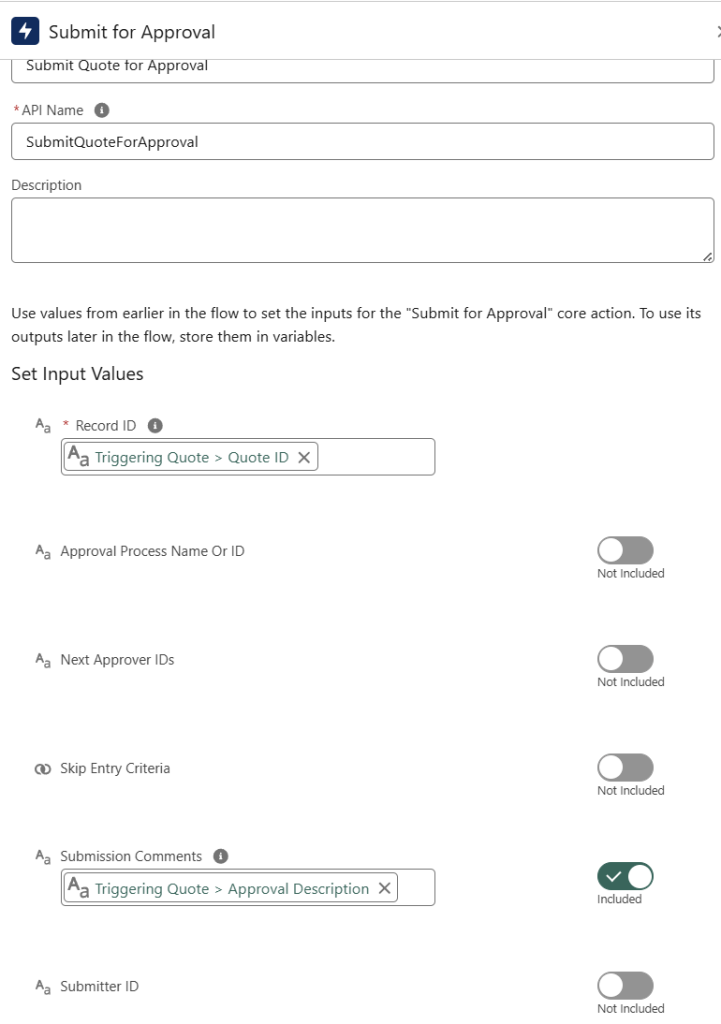
These steps ensure that Quote creation is only allowed once a defined Approval Process has been completed.
Step-by-step guide to activating the Approval Process #
- Open Finblick Setup:
- In the Salesforce environment, navigate to the Finblick Setup tab, then go to the Application settings section.

- Enable the “Quote Approval Required” option:
- Set this field to True to activate the approval process. (The button will turn green.)
- Generate button is replaced:
- Once enabled, the Generate Document button is replaced by the Submit for Approval button.
- Open any quote record, select the Create Quote action, and see it in action!

What happens when the Approval Process is triggered? #
Submit for Approval #
When Submit for Approval button is clicked, the field finblick_GenerationStatus__c is set to In Approval.
Trigger document generation after approval #
Once the record is approved, the Approval Process sets the field finblick_GenerationStatus__c to To be Generated to initiate document generation.
Save approval comment #
The approval comment is saved in the field finblick__ApprovalDescription__c.


